Blog
Face-Up Size Maths: Why 0.89ct Can Look “Bigger” in Real Life

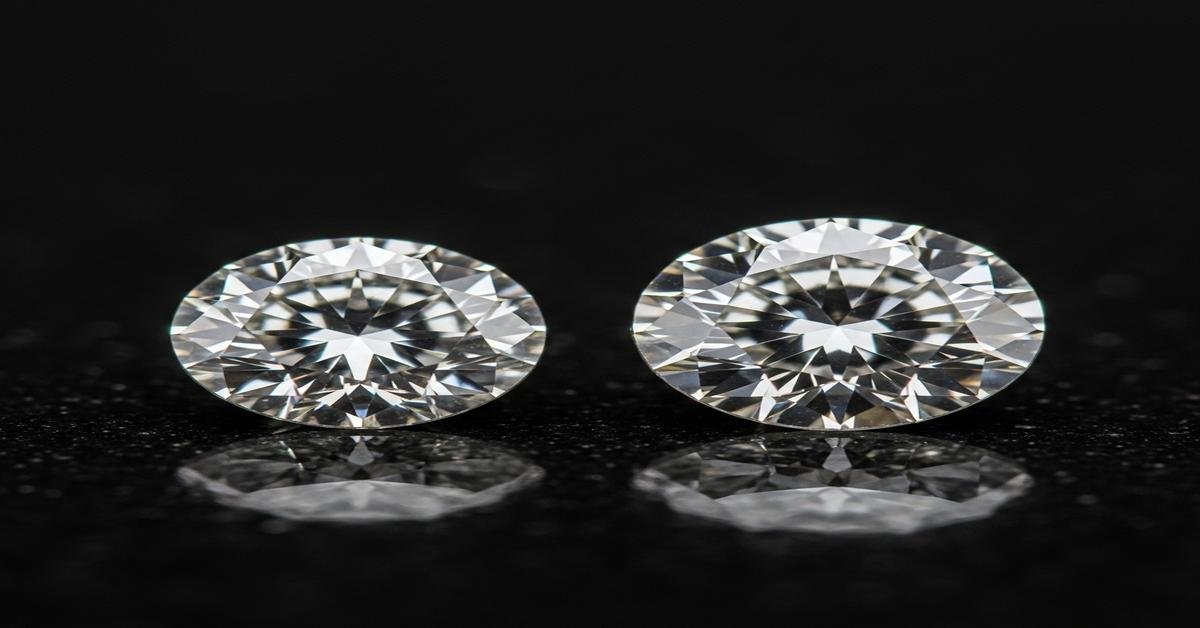
Face-Up Size Maths: Why 0.89ct Can Look “Bigger” in Real Life
Carat weight tells you how much a diamond weighs. It does not tell you how large it will look from the top — the face-up view. A 0.89ct diamond can appear larger than a 1.00ct in the hand. The reason is simple: cut proportions, shape and the way weight is distributed change the visible diameter. Below I explain the measurements and trade-offs, show concrete examples with millimeters and percentages, and give practical buying tips.
Carat ≠ Face-Up Diameter — the maths you need
Carat is weight. Face-up size is a diameter or dimensions you see from above. For round brilliants we commonly use diameter in millimetres (mm). For fancy shapes we use length × width (mm × mm).
Two formulas to know:
- Depth % = (total depth / average diameter) × 100. Depth is from table to culet; average diameter is the mean of length and width for non-rounds or the diameter for rounds.
- Table % = (table diameter / average diameter) × 100. The table is the large top facet.
These percentages tell you how the diamond’s volume is distributed. A deeper diamond stores more weight vertically. A shallower diamond spreads the same weight out horizontally, increasing diameter and face-up area.
Concrete examples that show the difference
Example A — balanced cut (better brilliance):
- Carat: 0.89 ct
- Shape: Round brilliant
- Dimensions: 6.30 mm diameter
- Depth: 3.80 mm → Depth % = 60.3%
- Table % = 56–58%
Example B — shallow cut (larger face-up):
- Carat: 0.89 ct
- Shape: Round brilliant
- Dimensions: 6.55 mm diameter
- Depth: 3.40 mm → Depth % = 51.9%
- Table % = 68–72%
Both are 0.89ct. Example B has a larger visible diameter (+0.25 mm). That sounds small, but on a ring it can look noticeably bigger. The cost? Example B sacrifices light return because it is too shallow. It will face-up larger, but it will likely look less lively and may show a washed-out table or dark edges.
Other features that change perceived size
- Shape: Fancy shapes like ovals, pears and marquises spread weight into length. A 0.89ct oval might measure 8.5 × 5.0 mm. That elongated face looks bigger than a round of the same weight. If you want the biggest face-up look for a given weight, choose an elongated shape.
- Girdle thickness: A very thick girdle can hide weight in the girdle band. That reduces diameter for the same carat. Conversely a very thin girdle increases diameter but can make the stone fragile.
- Culet: A large culet removes volume from the bottom and can slightly increase face-up spread, but it ruins optical performance and appears as a dark spot.
- Setting and metal: Thin bands and pointed prongs make a diamond look larger. A halo of small stones adds perceived diameter without increasing the center stone’s carat. Metal color matters: yellow gold provides contrast that can make the diamond’s edge look larger to the eye; platinum or white gold blend with the diamond and can emphasize brilliance instead.
- Finger size: A 0.89ct stone on a size 4 finger looks larger than the same stone on a size 8 finger. Proportion to the hand is a visual cue people use unconsciously.
Trade-offs: spread vs. sparkle
When weight is shifted to increase spread, brilliance often drops. A shallow cut with a large table and small depth will face-up larger. But it loses the internal light return that makes diamonds sparkle. A very deep stone moves weight down into the pavilion. It may appear smaller face-up and can look dark from above.
Aim for balance: for rounds you want a depth around 58–62% and table roughly 53–58% for strong performance. If you accept a shallower depth to gain face-up size, inspect the stone in person or get an ASET/IdealScope image to check light return. For fancy shapes, watch for overly shallow pavilions or extreme length-to-width ratios.
How to read a grading report for face-up size
- Always check the listed dimensions in millimetres. For rounds, the diameter is given as a single mm (or a range). For ovals, you’ll see length × width.
- Look at Depth % and Table %. These tell you proportion and help explain why the listed carat yields the face-up size it does.
- Check girdle description (thin, medium, slightly thick, very thick). Very thick or extra facets at the girdle hide weight.
- Request images: A top-down photo and an ASET or IdealScope will quickly show whether the stone returns light well.
Practical buying checklist
- Compare millimetres, not just carat. Ask for exact dimensions and depth %.
- Decide if you prefer face-up size or brilliance. If you want brilliance, target ideal proportions. If you want maximum visual size, consider a shallow cut or an elongated shape.
- Consider a halo or thin band to increase perceived size without compromising cut quality.
- View the stone mounted. A loose diamond can look different in a setting.
- Watch for trade-offs: very shallow depth, very thick girdle, or large culet are red flags even if the stone looks big.
In short: 0.89ct can look bigger than a nominal 1.00ct because of how that weight is distributed. Look at millimetres, depth%, table% and shape to understand face-up size. Then choose the balance between spread and sparkle that matters most to you.